HOW ALUMIO WORKS

Orchestrate and govern integrations from one platform

Alumio operates as a scalable integration backbone that connects systems, governs data flows, and helps developers and technical leaders collaborate with full visibility.

Laptop screen displaying the Alumio iPaaS dashboard, alongside pop-up windows for generating cron expressions, selecting labels and route overview.
PLATFORM FEATURES

Build, transform, automate, and monitor data exchange from one interface

Route Builder

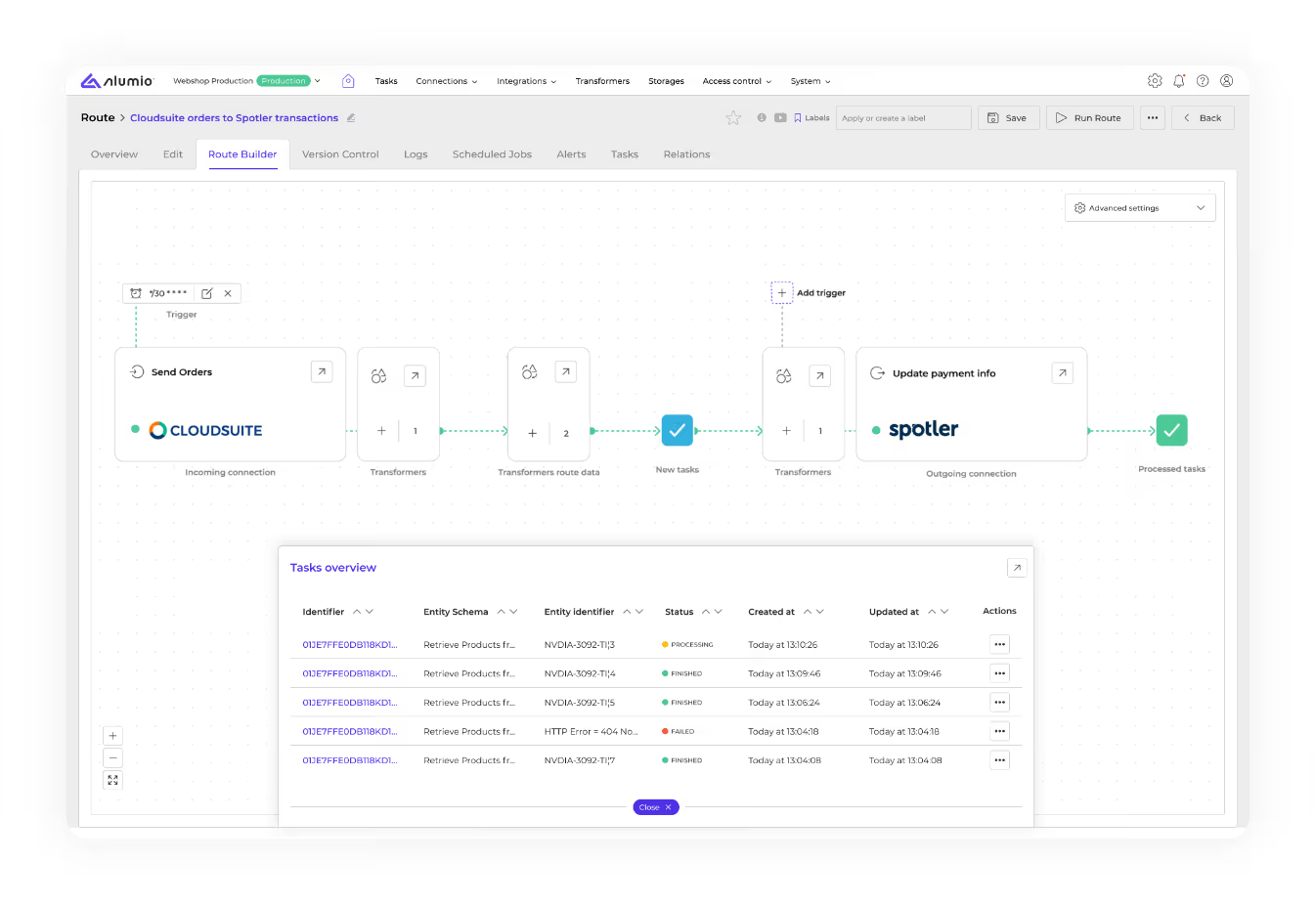
Eliminate excess tab switching and configure every step of an integration - incoming connection, transformer, trigger, outgoing connection - from one visual interface:

Enable faster onboarding with a clear overview of how data moves through Alumio.

As integrations grow complex, every dependency stays visible.

Configure retries, parallel processing, and waiting states per route.
Transformers

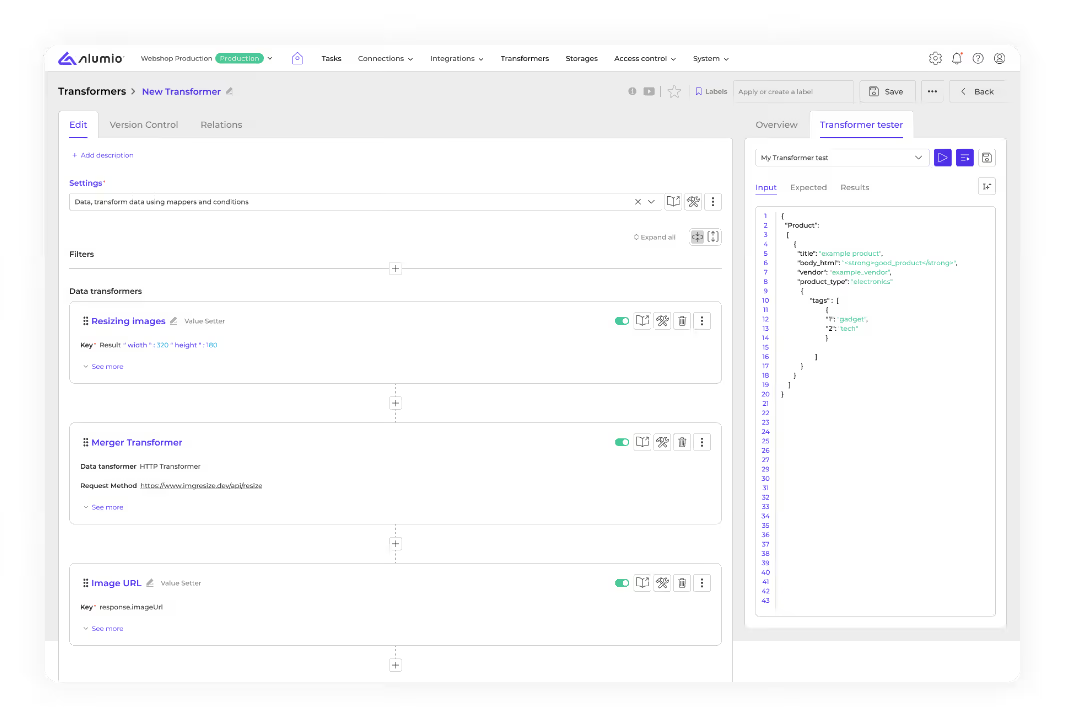
Modify, filter, map, and enrich data in transit at every step of the route. Ensure data arrives in the exact format the target system requires, enriched and filtered as per your specific requirements:

Convert data between JSON, XML, CSV, EDI, cXML and map fields across schemas.

Directly configure pre-built conditions and filters, while only writing code when you need to with our Code Transformer.

Combine data from multiple sources in a single transformation step.
Dashboard & route overview

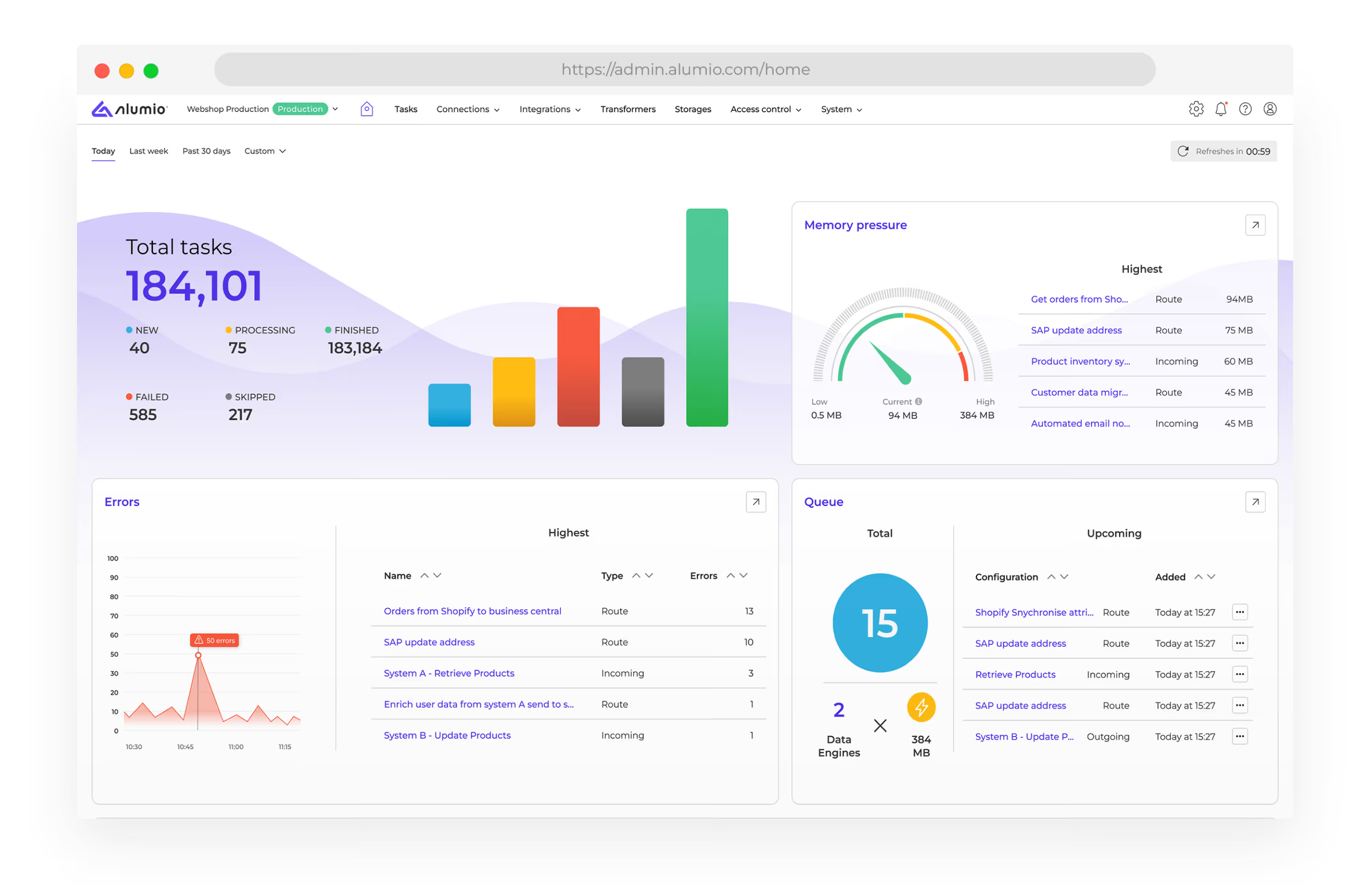
Get platform-wide visibility across all integrations, per-route operational details, task status, error patterns, memory pressure, and build custom alerts for real-time updates.

Track task volumes and failure rates across every route from one screen./

Alumio gives you the tools to surface errors at the point of failure before they cascade downstream.

Configure custom alerts per route for errors, no-activity, and memory thresholds.
Storage & queueing

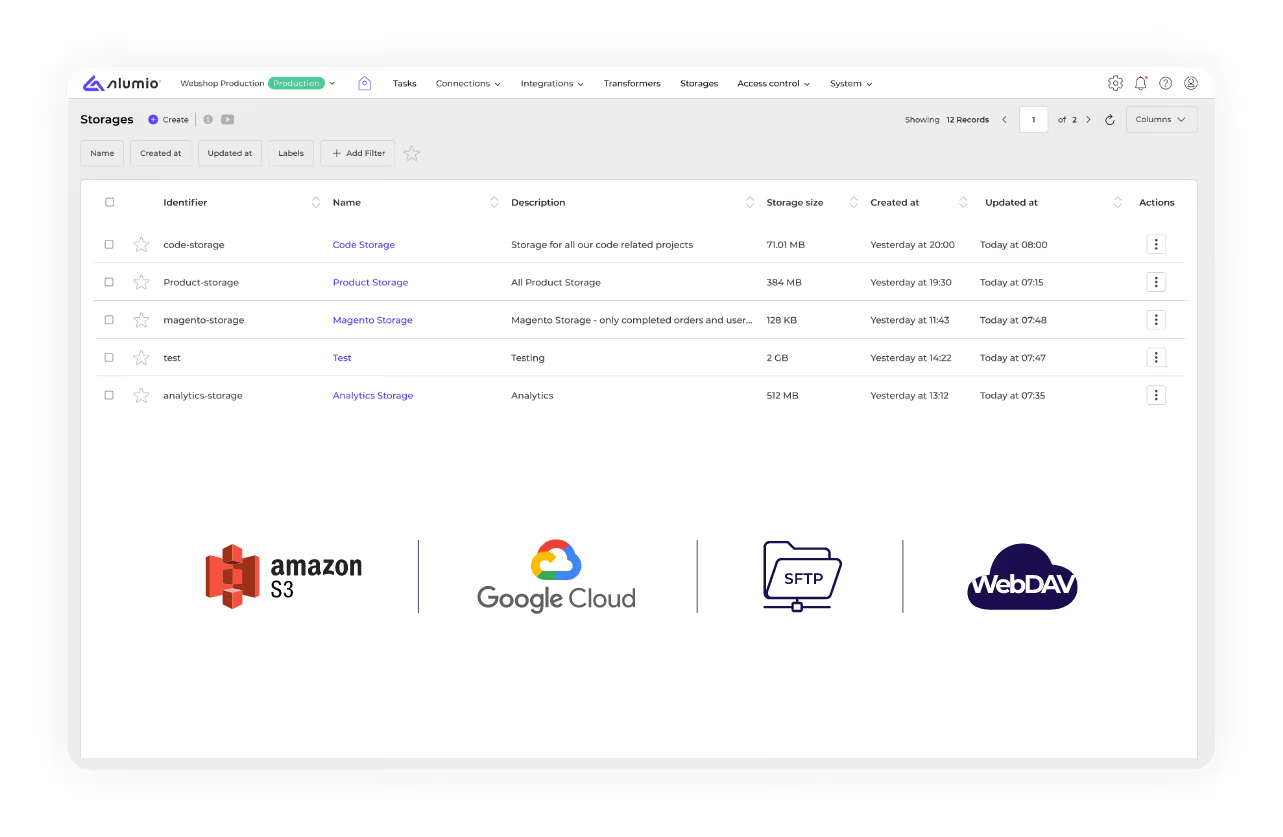
Cache and store data securely between systems. Reduce redundant API calls, maintain data integrity across complex flows, and keep integrations running under high volumes.

Store intermediate data between steps to reduce external system load.

Queue tasks systematically for high-volume data flows.

Compatible with AWS S3, Google Cloud, sFTP, WebDAV, and custom endpoints.
AUTOMATE INTELLIGENTLY

Run integrations on your time and terms

Choose when and how data moves between systems without manual intervention.

Scheduled processing

Run integrations at defined intervals using cron-based schedulers. Set independent schedules for incoming and outgoing configurations within the same route.

Hourly / daily / weekly
Custom cron schedule
Per-step scheduling
Parallel batch processing

Real-time triggers

Process data the moment it arrives using webhook triggers. Alumio reacts instantly to incoming events - no scheduler required, no lag between event and action.

Webhook triggers
Instant event processing
Webhook failure alerts
Automatic retry on failure

Synchronous integrations

Connect systems through live request-response flows using Alumio as an API gateway, for real-time inventory checks, checkout validation, and live data lookups.

Live request-response
API gateway
Real-time validation
Live inventory & checkout
TECHNICAL CONNECTIVITY

Connect flexibly across any format

Alumio supports the key protocols, standards, data formats, and filesystems you need to integrate your systems and applications.

Authentication

OAuth 1.0
OAuth 2.0
Basic auth
SSO/ SAML
WSSE
JWT

API Protocols

REST API
GraphQL
SOAP
EDI
OData
Webhooks
OAuth 2.0

Data Formats

JSON
XML
AWS 53
sFTP
CSV/ EDI

Filesystems

sFTP
AWS S3
Google Cloud
Azure Blob
WebDAV
FTP/FTPS

Databases

MySQL
PostgreSQL
MSSQL
Oracle
MongoDB
Direct DB
USE CASES

Discover how businesses use Alumio

ERP REPLACEMENT OR UPGRADE

Change core systems without disrupting connected systems

When an ERP, webshop, or PIM changes, every connected system feels it. Alumio decouples that dependency - so one migration doesn’t cascade into everything else.

Run old and new systems in parallel

Change systems one at a time without rebuilding

Full visibility and rollback at every stage

Case studies:
EXPANSION INTO NEW CHANNELS OR MARKETS

Add systems, channels & markets without added complexity

Every new market, channel, or brand typically means a new integration project. Alumio makes each new connection part of the existing ecosystem - without changing what works.

No custom build required for new connections

Existing integrations stay untouched as you expand

Complexity grows with the business - not ahead of it

Case studies:
UNSTABLE INTEGRATIONS & OPERATIONAL RISK

Replace custom integrations before they become a risk

Alumio replaces spreadsheet workarounds and brittle point-to-point connections with a governed and automated integration layer.

Replace custom builds with maintainable integrations

Make integrations visible and minimize IT dependence

Retry logic, alerts, and version control by default

Case studies:
PLATFORM EXPERTS

Integrate better with
Alumio partners

Work with certified integration partners from our global network:

Build and optimize integrations with Alumio experts.

Your team stays in the cockpit with full visibility into every route.

Save time on onboarding, implementation, and solving edge cases.

Two people shaking hands representing a partnership with Alumio.
SECURITY & COMPLIANCE

Centralize and simplify governance

Every integration built in Alumio is visually mapped and traceable by default, with automated logging and robust compliance tools.

ISO 27001

Enterprise-grade security certification
Certified

GDPR

Aligned data flows and processing
Compliant

Role-based access

Define who can build, edit, and monitor
Configurable

Audit trails

Full logging of every data exchange
Always on

Version control

Track changes and roll back per route
Per route

Isolated environments

Centrally manage multiple integration environments.
Per client

See it in your environment

Book a short call with us to get a free assessment of your integration landscape and to explore how  Alumio best works for your business.

A white arrowhead facing right indicating to click to explore what's next to the right.